
*Die meisten Probleme mit einem Fire TV können durch einen Neustart Ihres Fire TV gelöst werden.*
So starten Sie Ihr Fire TV neu:
- Roku player: Go to Settings, System, and System Restart.
- Roku TV: Go to Settings, System, Power, and System Restart.
You can also unplug the Roku device/TV from the power source, wait 5-10 seconds, and reconnect it.
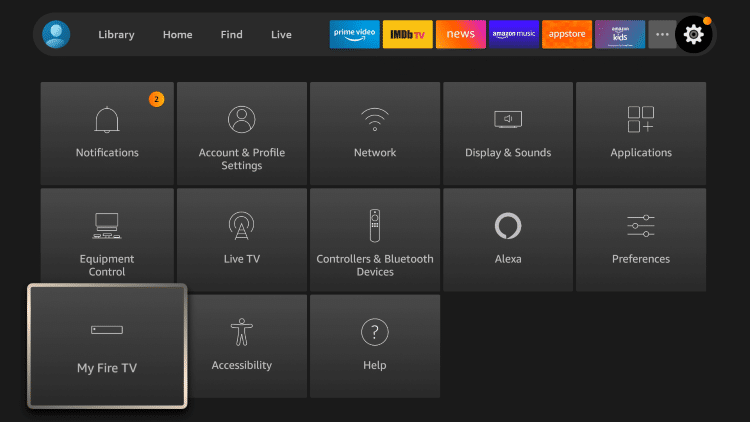
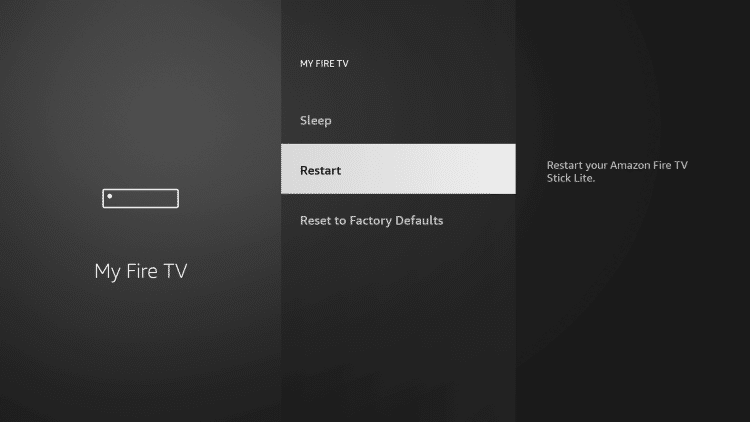
*Wenn ein Neustart nicht hilft, kann Ihre Software das Problem sein. „Fire TV“-Softwareupdates werden normalerweise automatisch im Hintergrund ausgeführt, aber manchmal funktioniert der Vorgang nicht und Sie müssen das Gerät möglicherweise manuell aktualisieren.*
Schritte zur Aktualisierung des Fire TV:
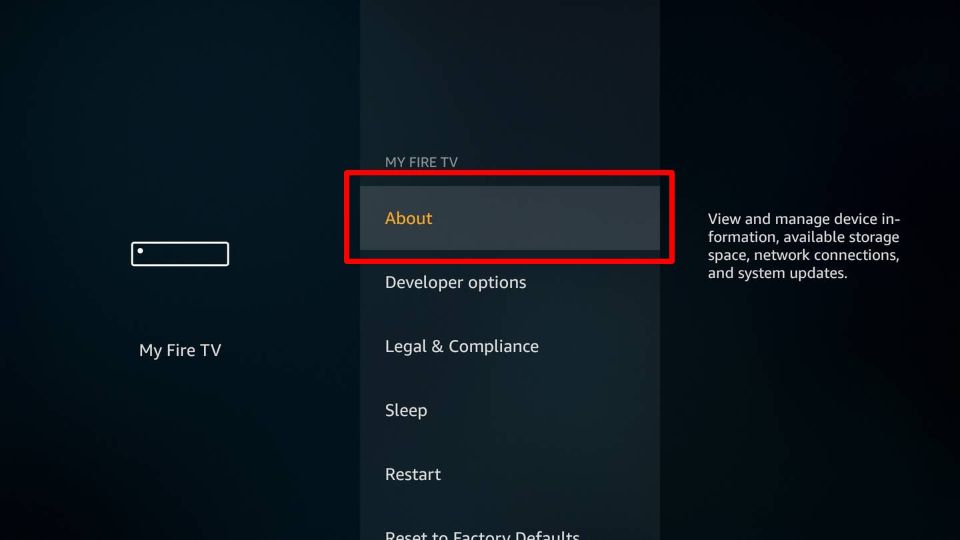
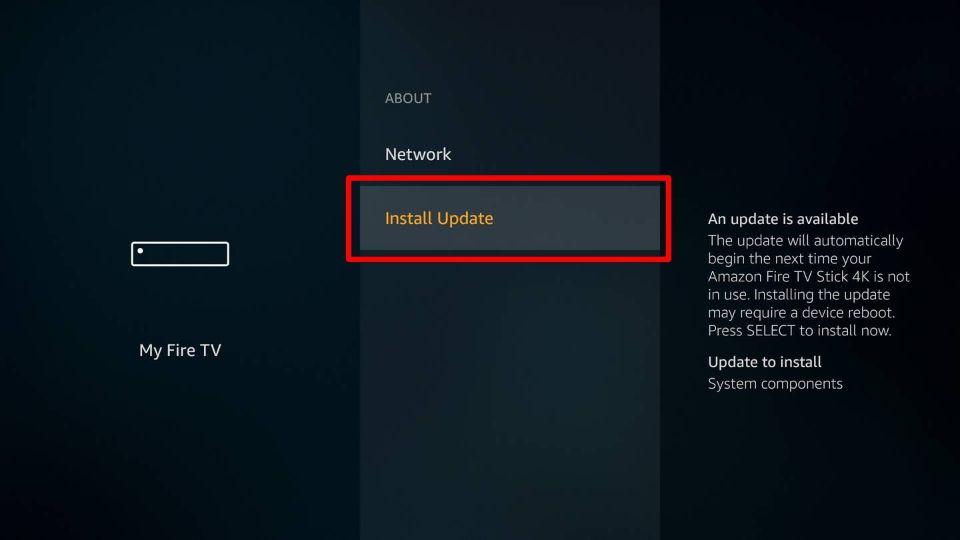
1. Check for software updates on your Fire TV by navigating through [Settings > My Fire TV > About > Check for updates]. Wenn Ihr Gerät ein Update findet, klicken Sie auf „Update installieren“.
2. Next, restart your Fire TV [Settings > My Fire TV > Restart] and your mobile device if you are casting.
If you're still experiencing issues after following the steps above, please reach out to the support team.