
*A maioria dos problemas do Fire TV pode ser resolvida reiniciando o Fire TV.*
Como reiniciar seu Fire TV:
- Roku player: Go to Settings, System, and System Restart.
- Roku TV: Go to Settings, System, Power, and System Restart.
You can also unplug the Roku device/TV from the power source, wait 5-10 seconds, and reconnect it.
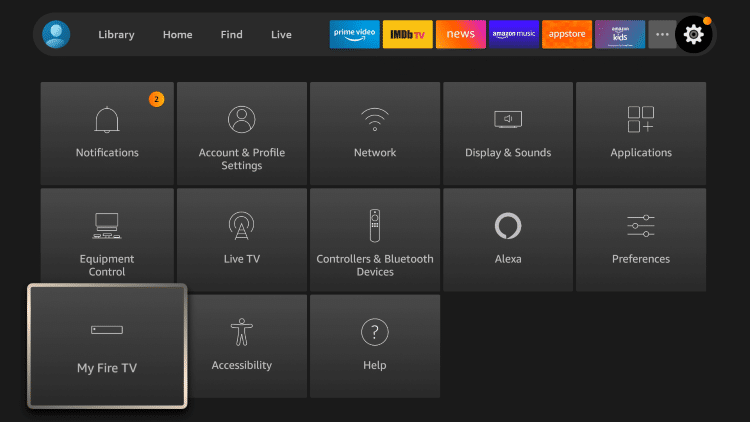
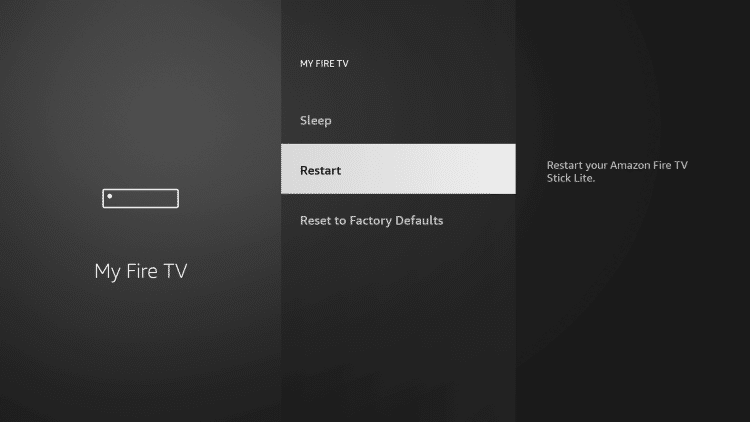
*Se reiniciar não ajudar, seu software pode estar com problema. As atualizações de software do Fire TV geralmente ocorrem automaticamente em segundo plano, mas às vezes o processo não funciona e talvez seja necessário atualizar manualmente.*
Etapas de atualização do Fire TV:
1. Check for software updates on your Fire TV by navigating through [Settings > My Fire TV > About > Check for updates]. Se o seu dispositivo encontrar uma atualização, clique em 'Instalar atualização'.
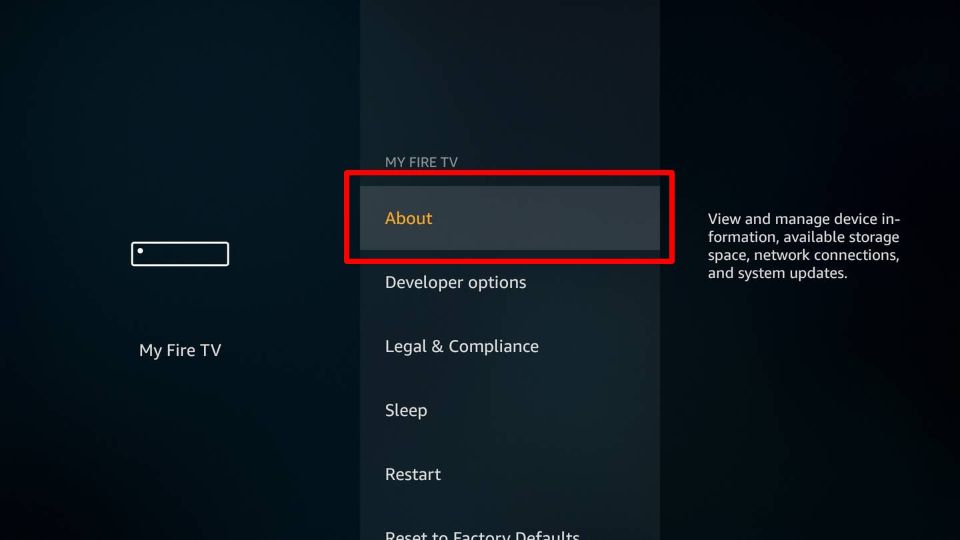
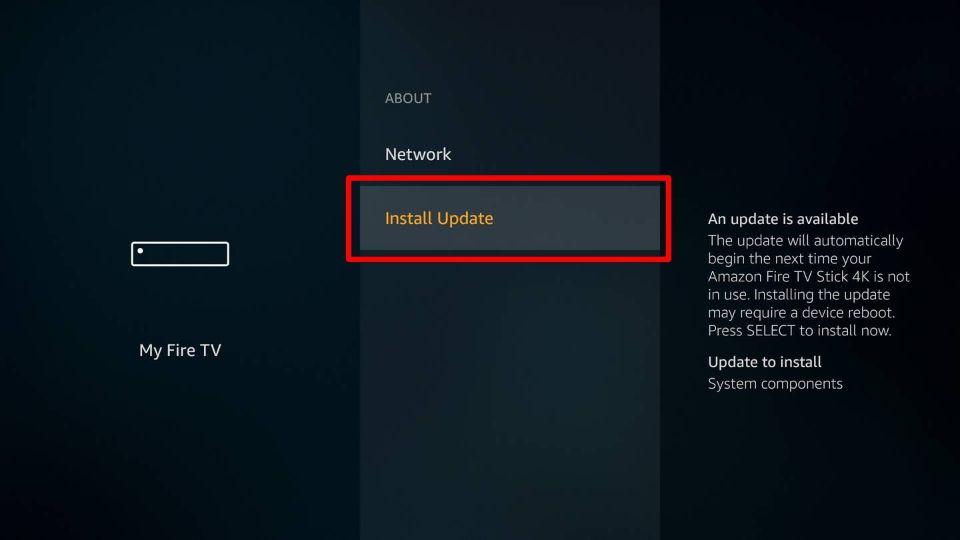
2. Next, restart your Fire TV [Settings > My Fire TV > Restart] and your mobile device if you are casting.
If you're still experiencing issues after following the steps above, please reach out to the support team.